WhatMatters

An app designed to support patient-centred care delivery in long-term care homes and hospitals for people living with dementia.

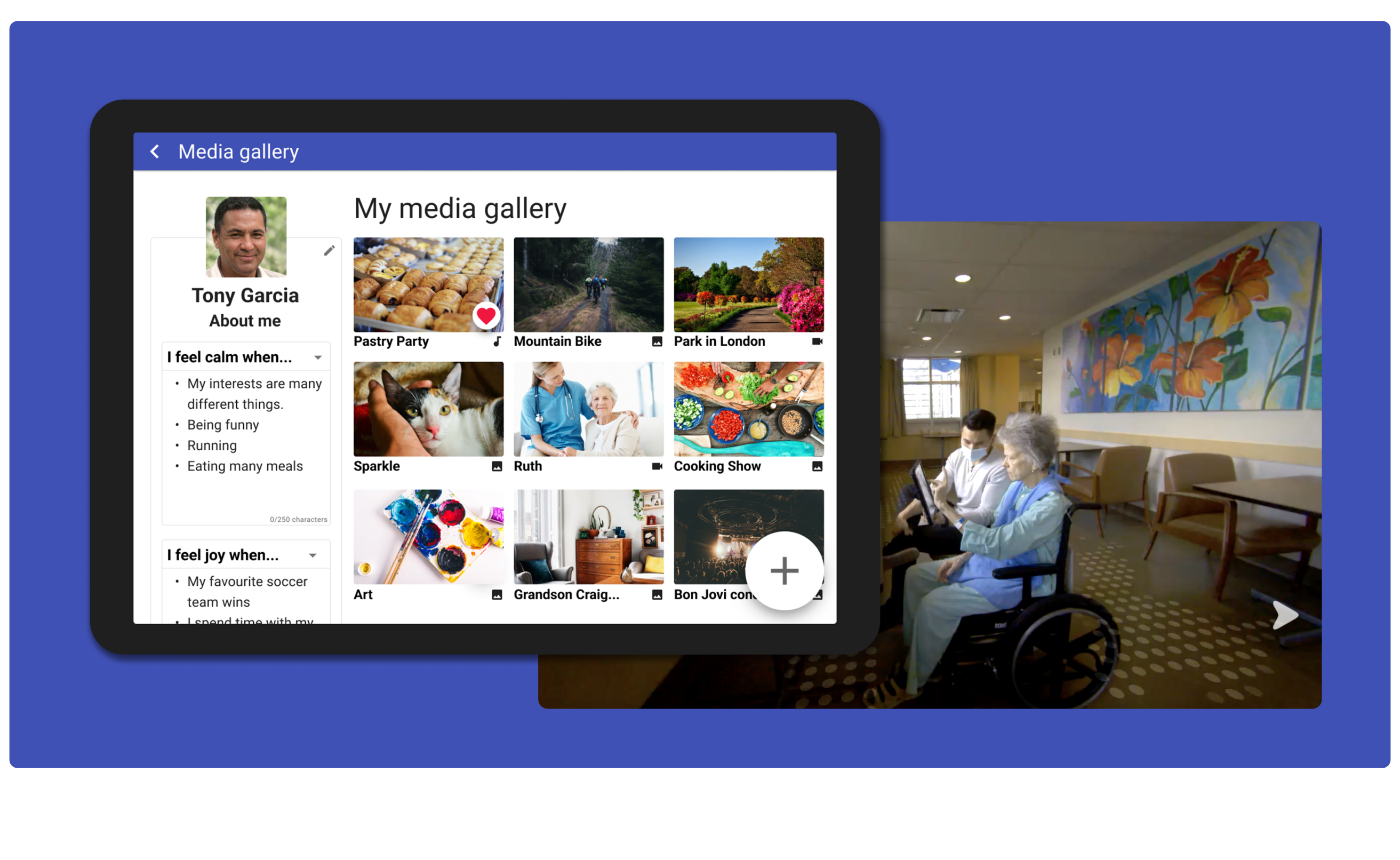
WhatMatters hero image

Project Brief: Develop a mobile app to support people with dementia living in long-term care, and/or who are currently receiving hospital care.

The app will allow people with dementia and their family members to curate videos, music, and photos to provide entertainment, social connection and comfort.

Through the co-design process, we gathered information and feedback, which was used to design and refine three prototype iterations and a final mockup of the app, which is now ready for clinical testing.

The outcomes are a clickable prototype designed in Figma and a working prototype ready for clinical testing.

A reflection on the project was published in the International Journal of Geriatric Psychiatry. Read the article here.

My RoleSupport the team with user testing the staff prototype, co-facilitate workshops with patient partners, and create wireframes and a clickable prototype for a family-facing version

Project LengthCo-design project with Emily Carr University's Health Design Lab (HDL) spanning 1 year

Project LeadershipCaylee Raber, Health Design Lab Director
Lilian Hung RN PhD, UBC IDEA Lab Founder

Design and Research AssistantsChelsea Burke (Me)
‍Eva Egeberg
Garima Sood

Tools UsedFigma, Miro, Zoom, Double 3 Robot, Slack, pen & paper

Overview

Throughout 2021 and 2022, Emily Carr University's Health Design Lab (HDL) has been part of the WhatMatters project, a collaboration between academic researchers and students in Computer Science, Engineering, and Nursing at the University of British Columbia, Simon Fraser University, and University of Waterloo, healthcare professionals working at Vancouver General Hospital (VGH) and Villa Cathay (a long-term care home), people with lived experience of dementia and their families, and Raccoopack Media (a mobile app development studio).

Health Design Lab's Role

  • Design first stage of WhatMatters app
  • Conduct user testing research
  • Synthesize gathered data
  • Create multiple prototype iterations

During the beginning stages of the project, workshops were conducted with people with lived experience of dementia, their loved ones, and healthcare professionals, in order to better understand the problem space and the needs of our users.

The information gathered was then synthesized and used to begin the prototyping phase of the project.

HDL members worked closely with Raccoopack Media to design and develop multiple iterations of the app and ensure that the user’s needs and wants were being met, while keeping things feasible in regards to the timeline.

The app was then user tested with healthcare professionals working at VGH and Villa Cathay. During these user tests, staff members and residents interacted with the app and tested its various features.
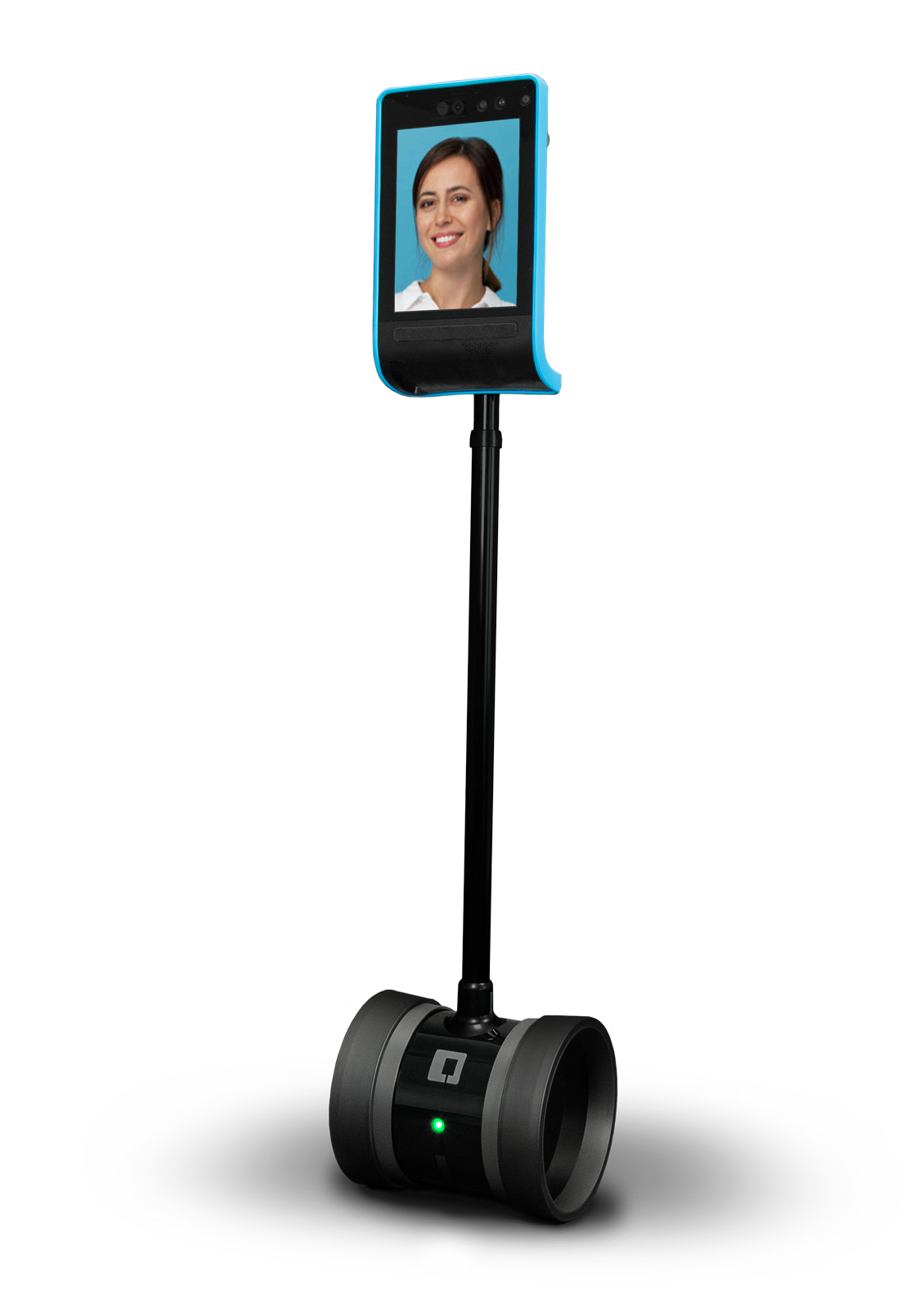
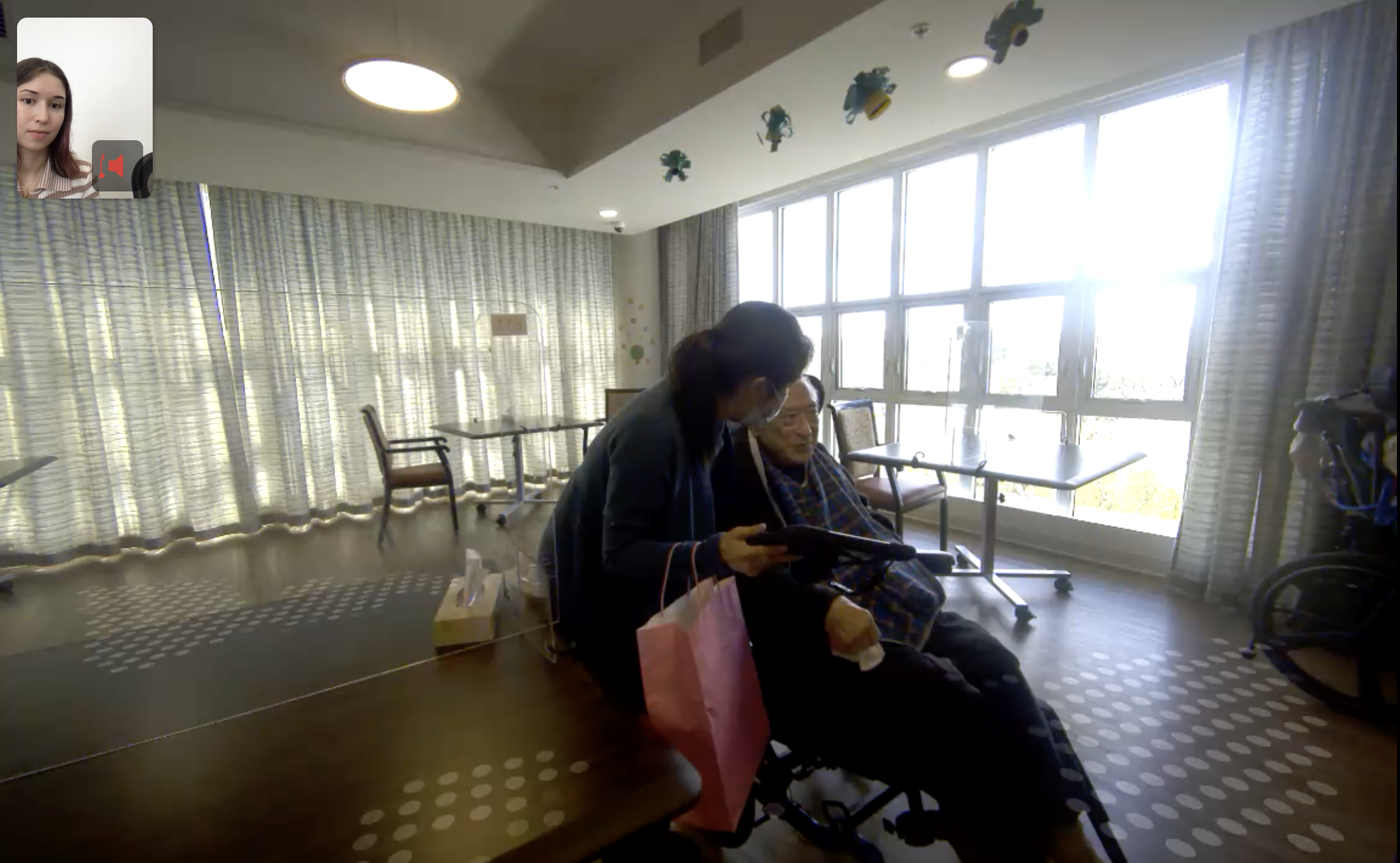
Double 3 Robot

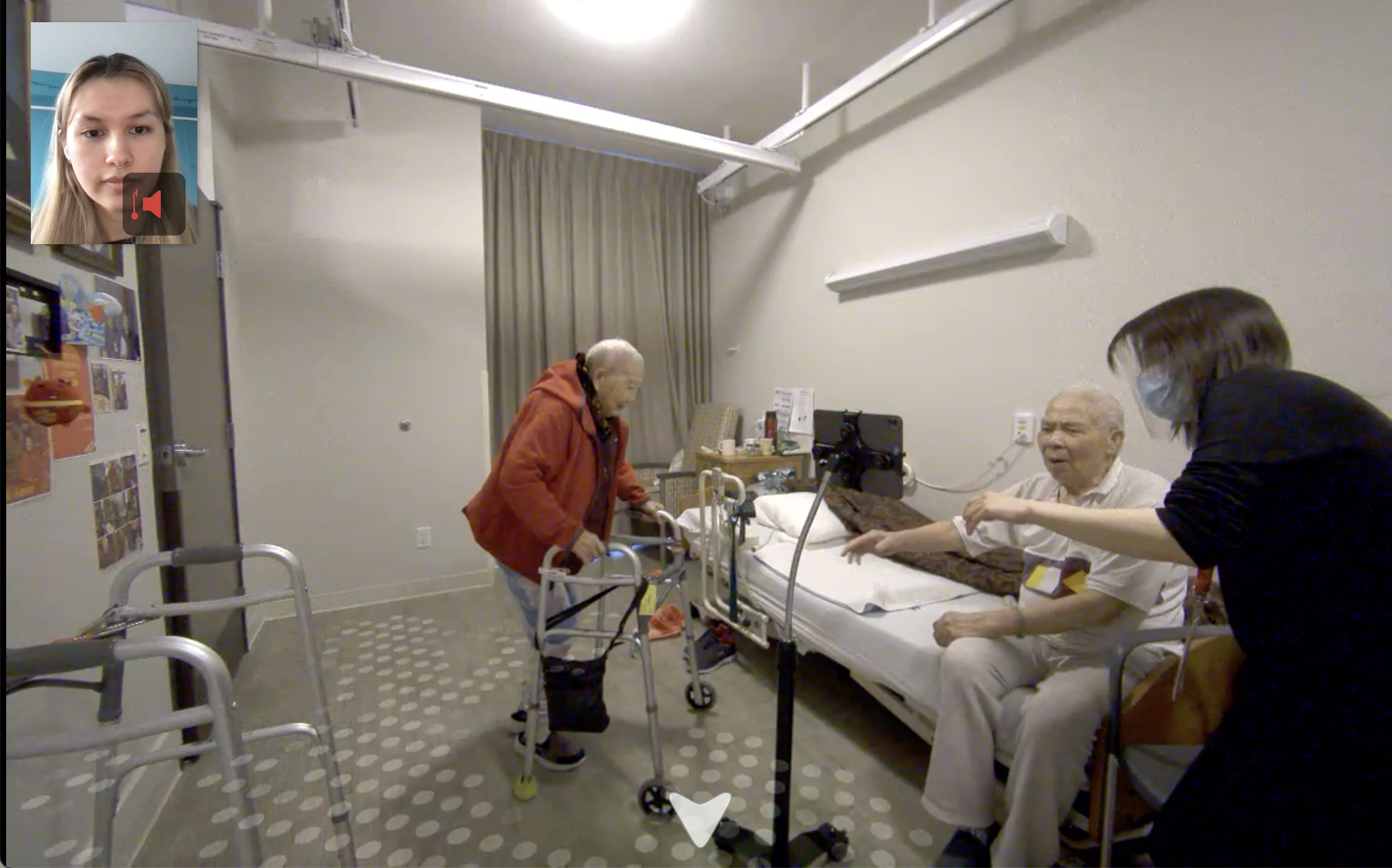
Double 3 robot

As part of our collaboration with the UBC IDEA-Lab, we had the opportunity to use the Double 3 Robot for our remote workshops at Villa Cathay and VGH.

The Double 3 is a video-based robot that users can control and navigate remotely through a web link.

Using this, we could observe our co-designers perform assigned tasks, follow them around the facility, and have a face-to-face interview with them afterwards, despite COVID-19 restrictions.

Prototype 2

Our second app prototype was designed and built into a fully functional version, which we tested remotely with staff from Villa Cathay and VGH.
WhatMatters Core Features

  • Ability for family and (potentially) staff to upload images, videos and audio files
  • Ability for staff to find a resident/patient profile, find the uploaded content and show it to them as a way of bringing comfort in a time of distress
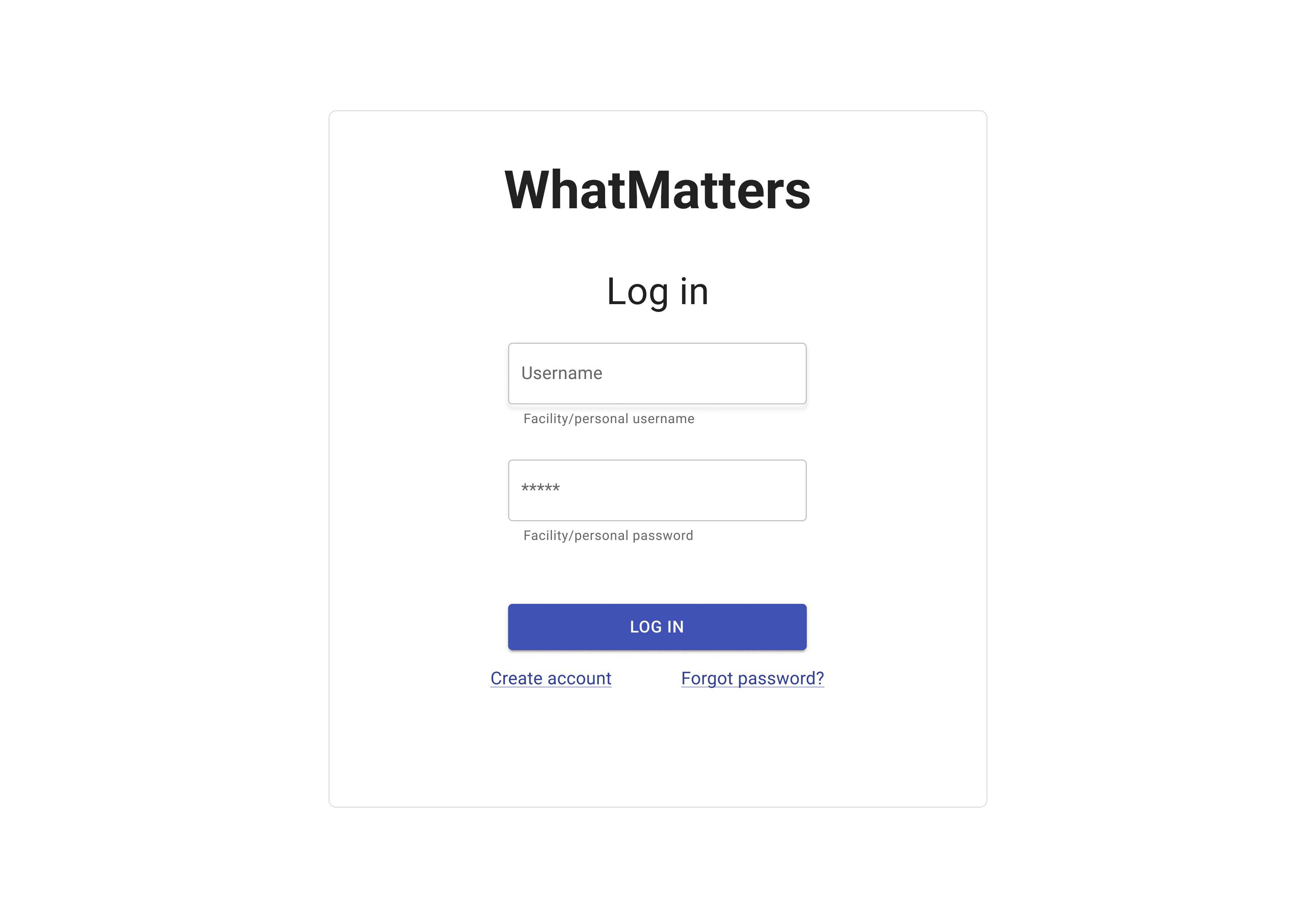
login page
Login
Prototype 2 create profile
Create Profile
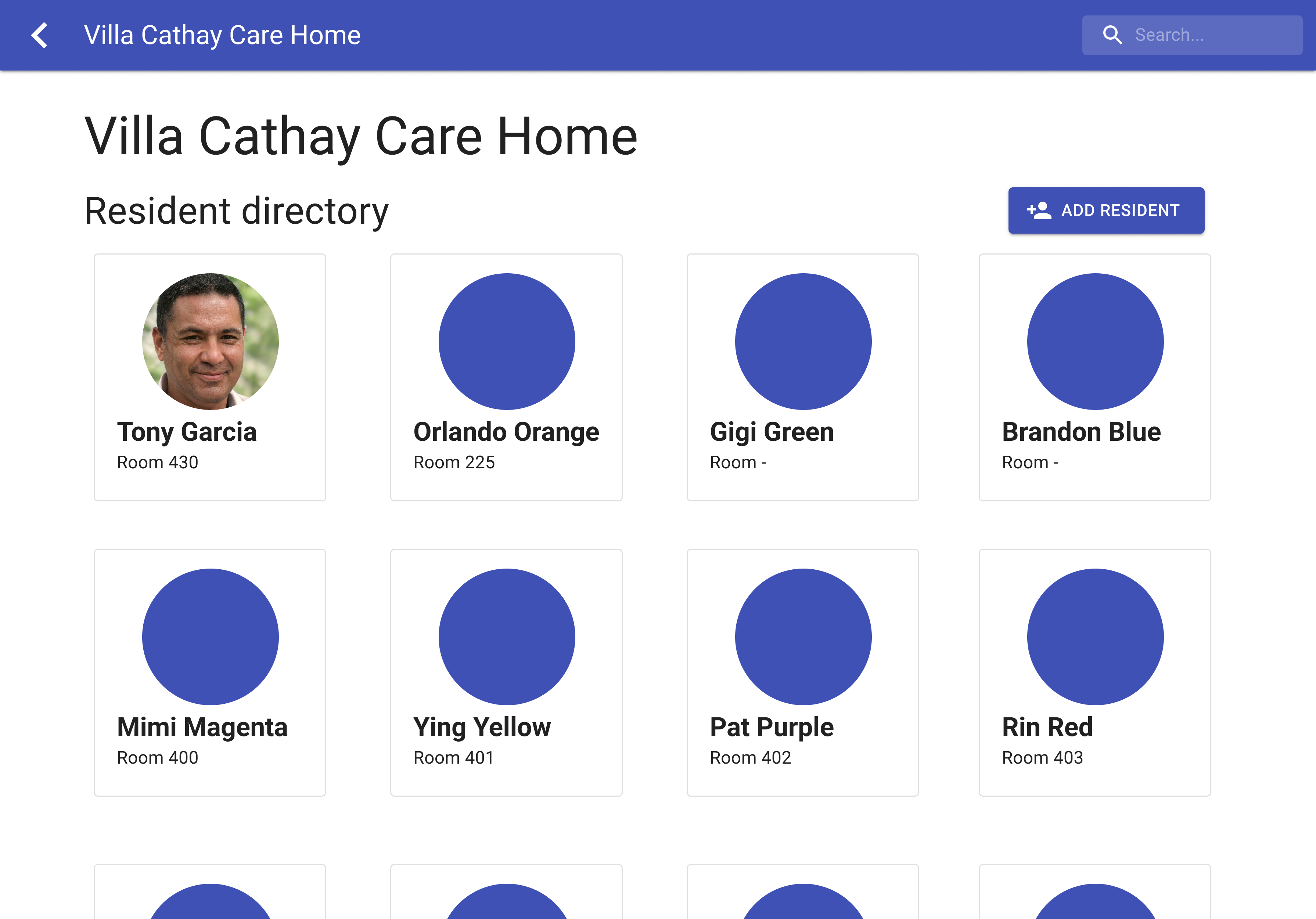
Prototype 2 resident directory
Resident Directory
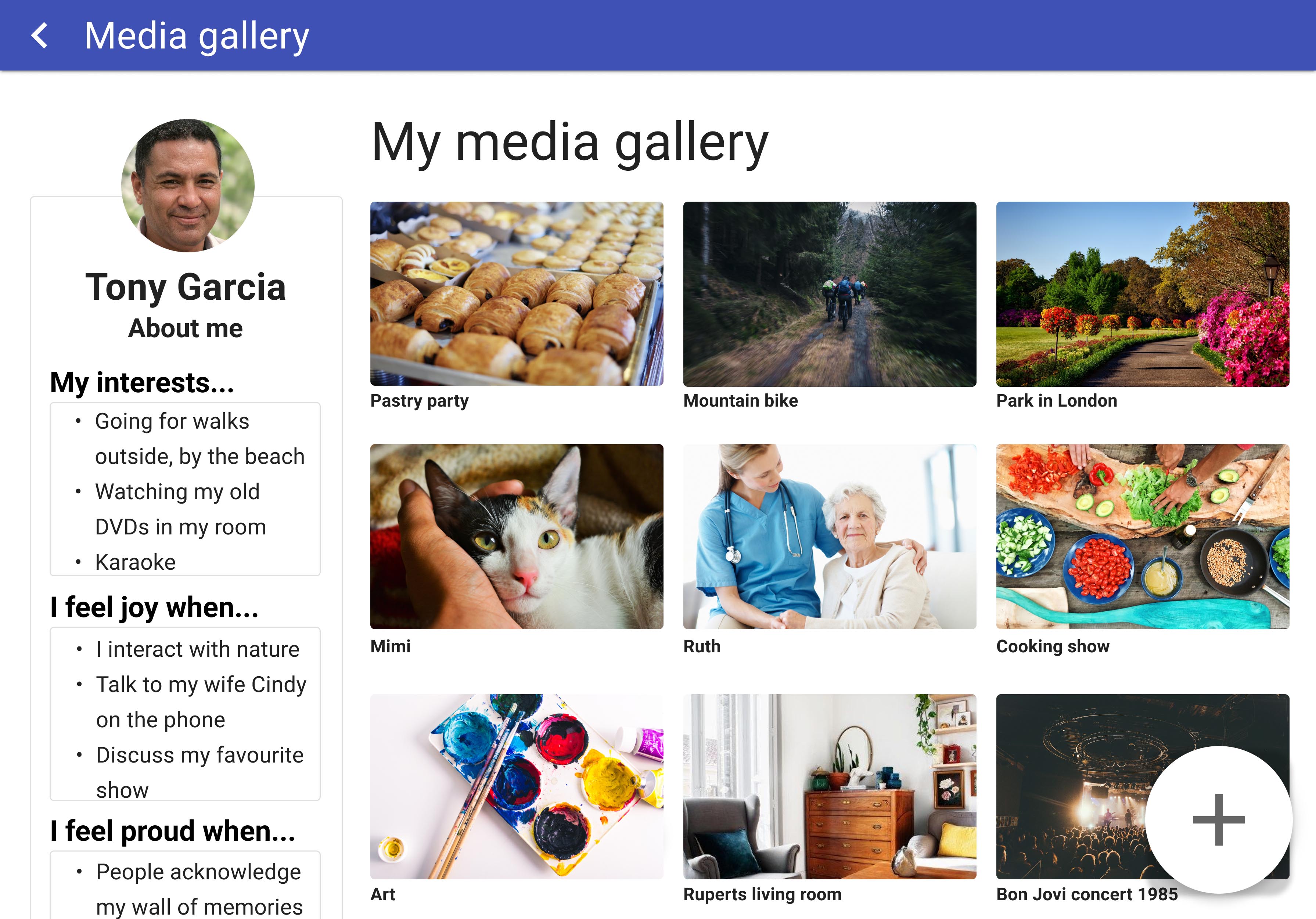
Prototype 2 dashboard
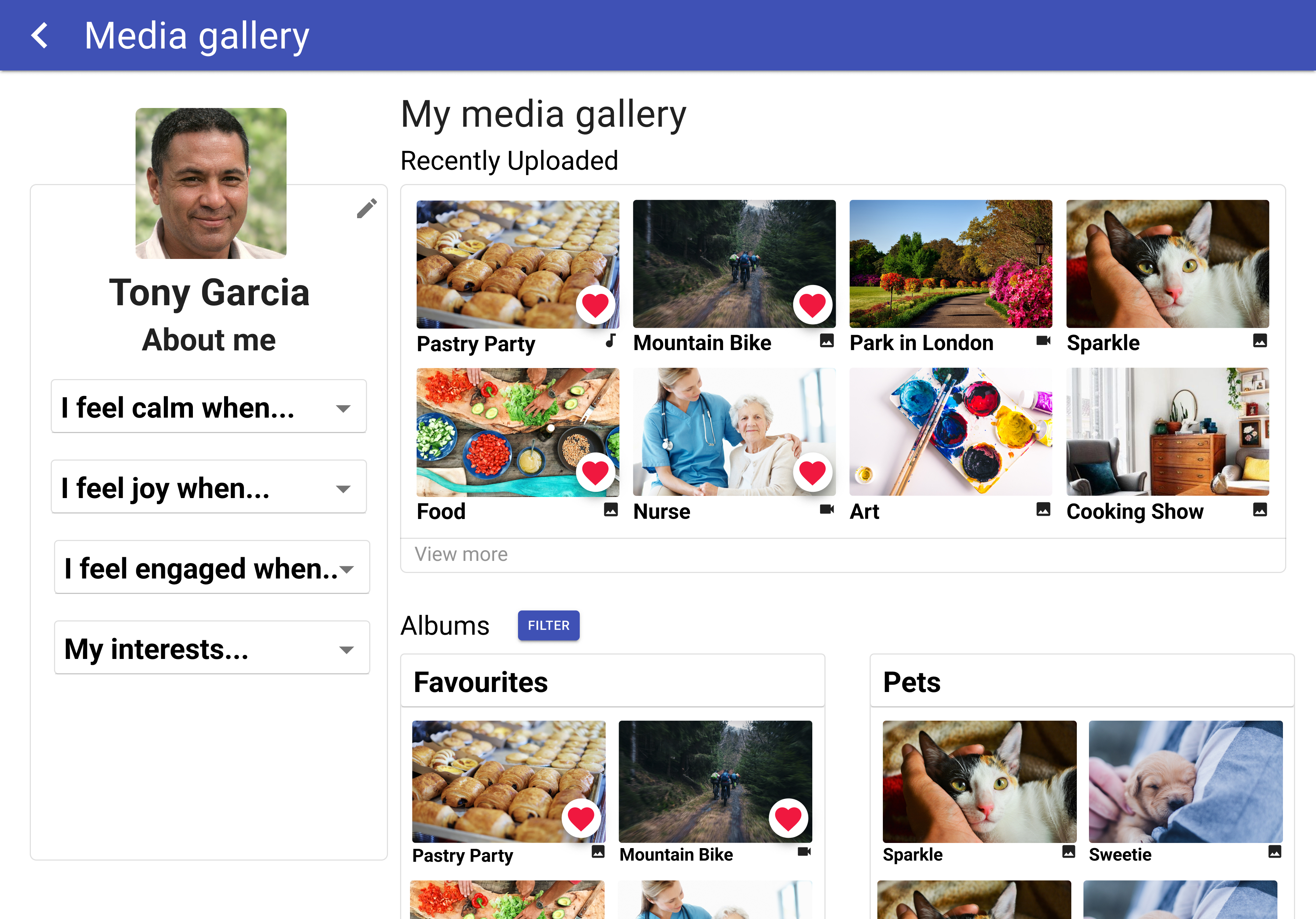
Media Gallery
Media view full screen
Media View
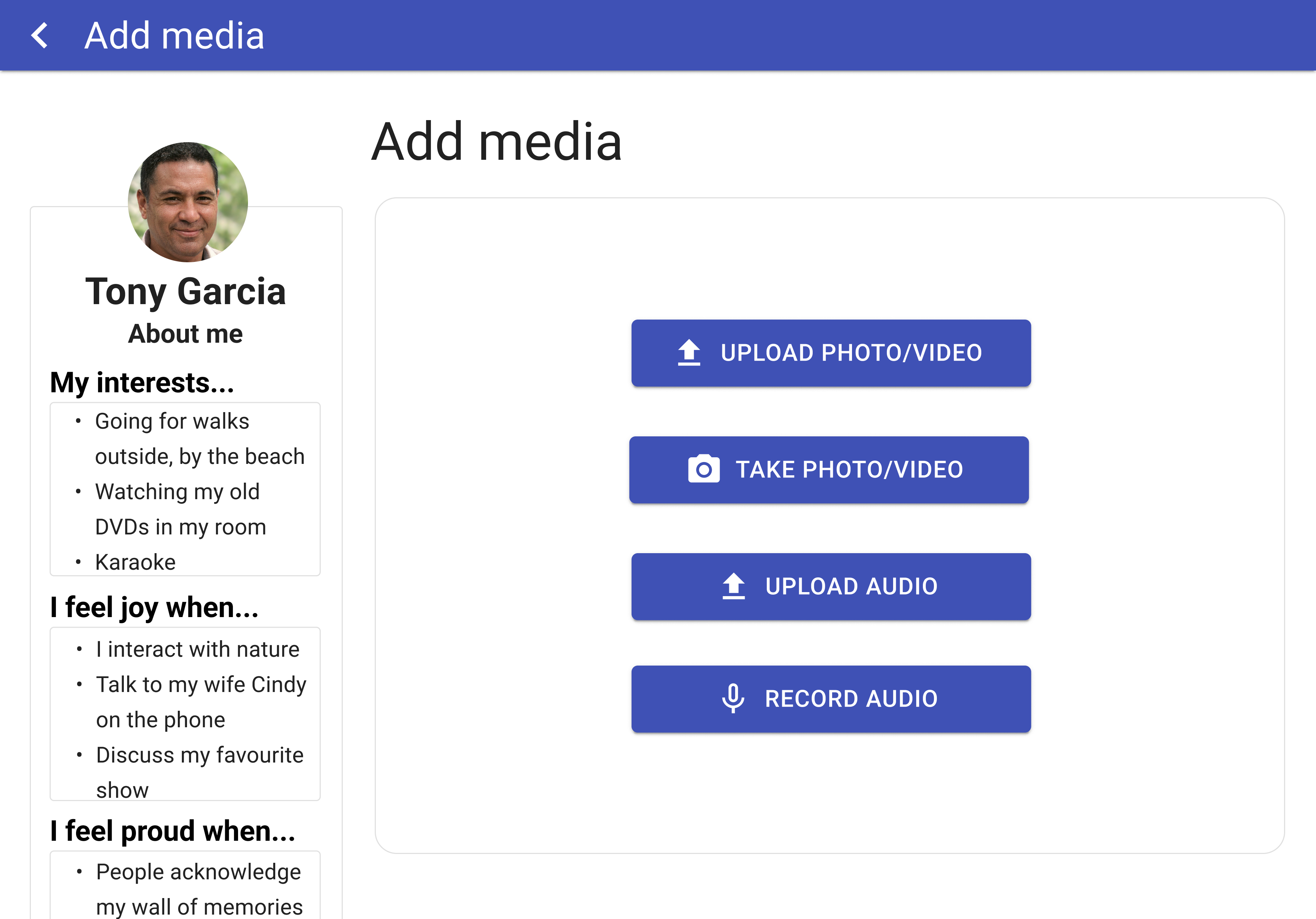
Prototype 2 add media
Add Media
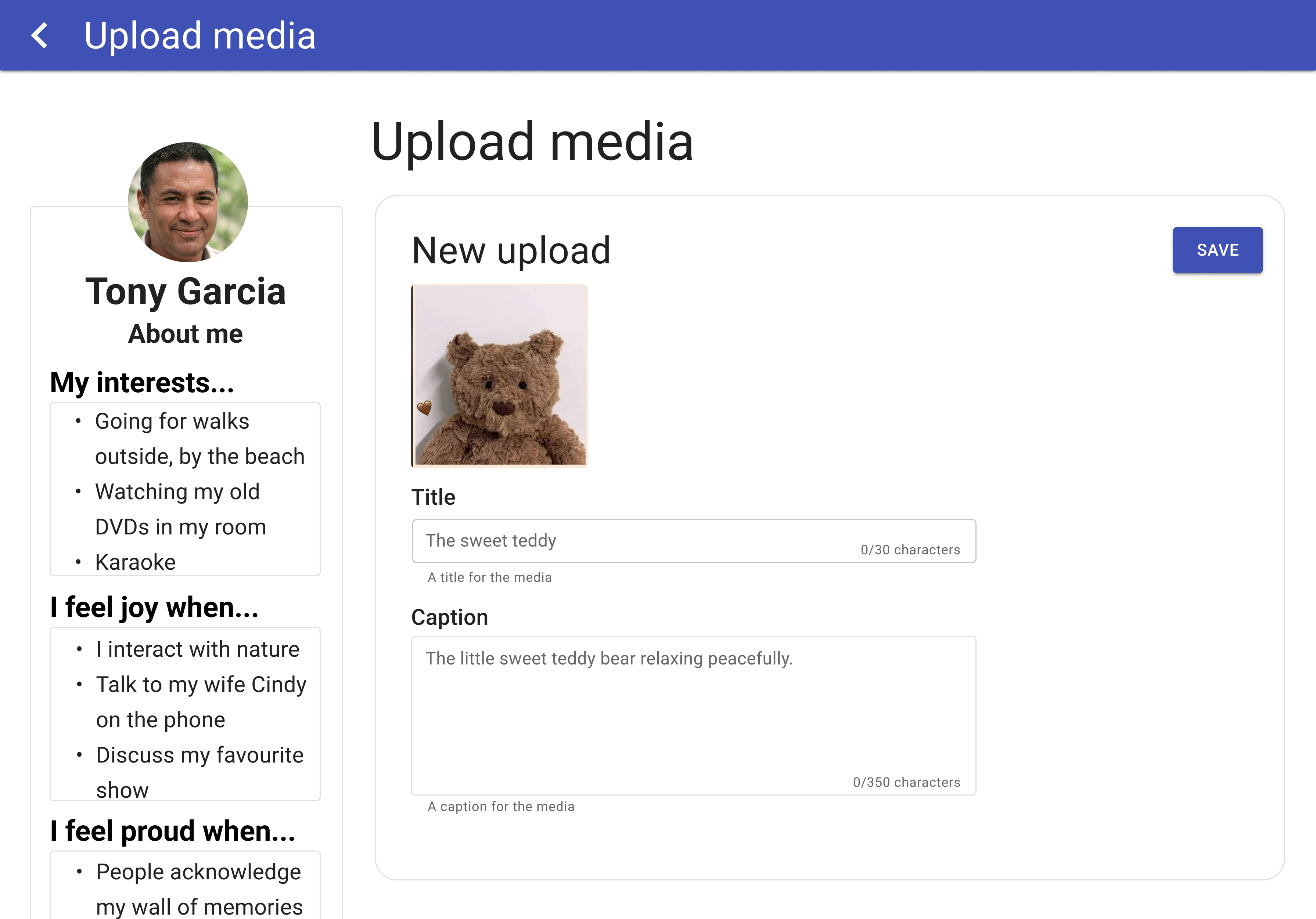
Prototype 2 upload media and add caption
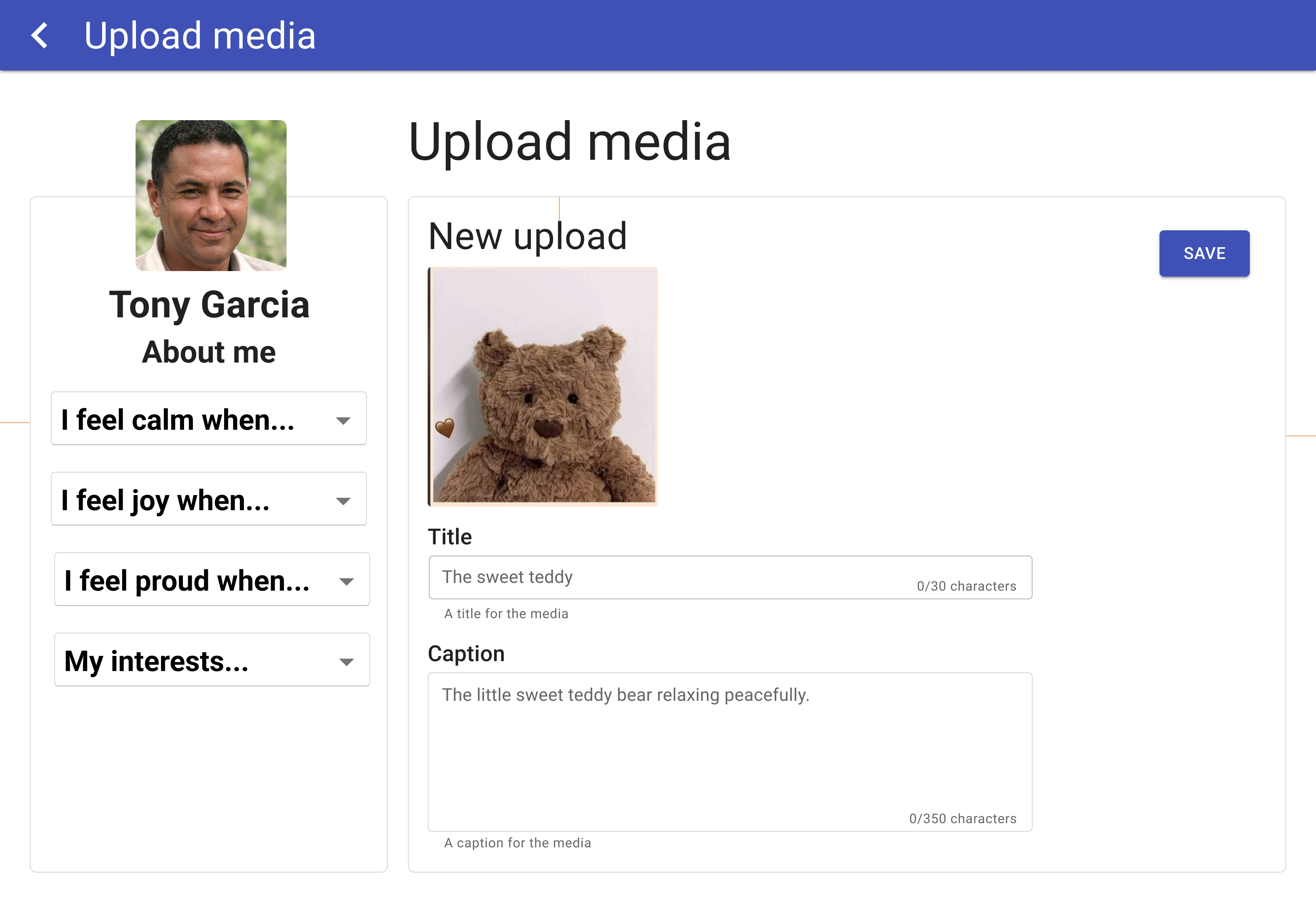
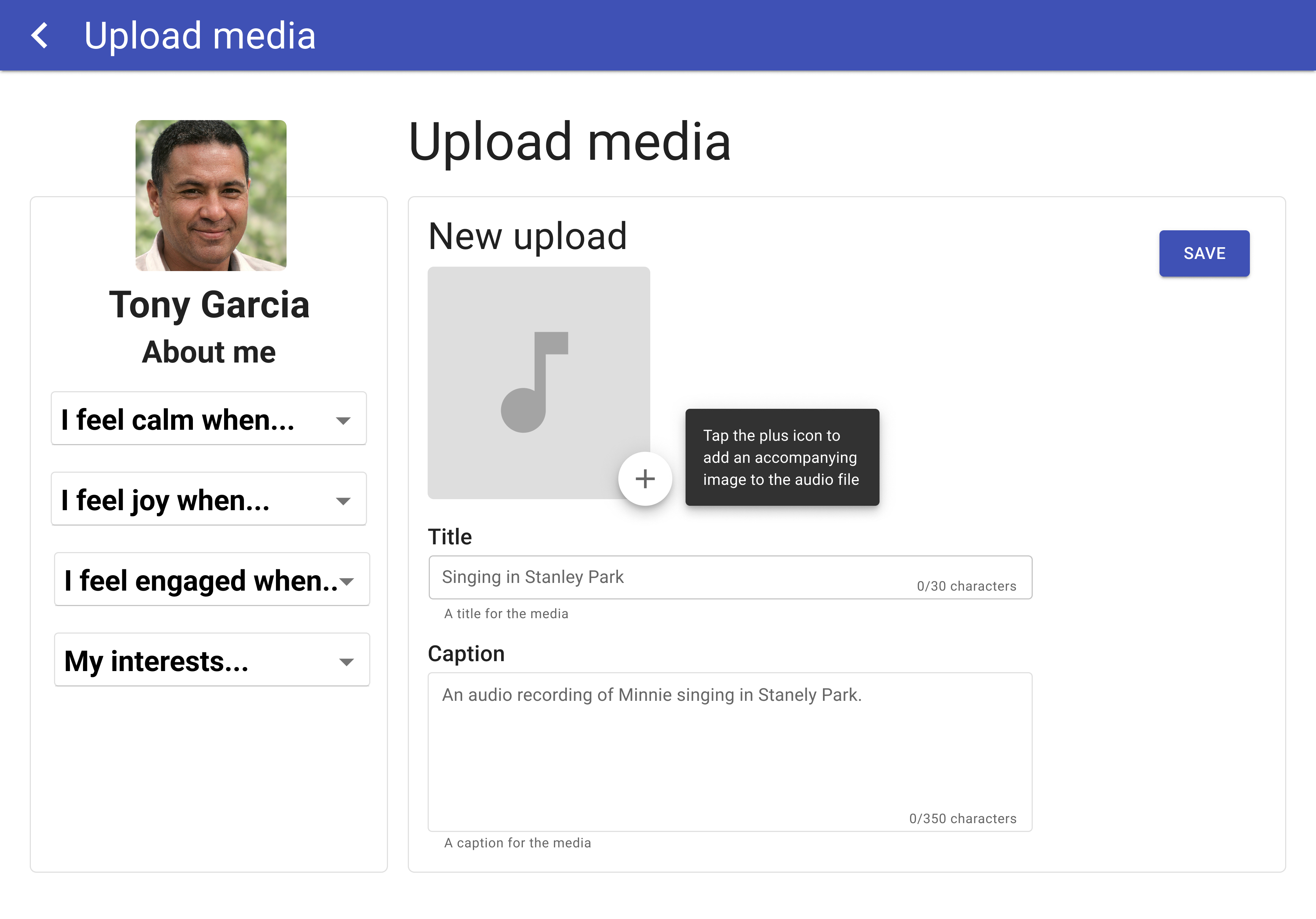
Upload Media
Prototype 2 upload media
Upload Audio
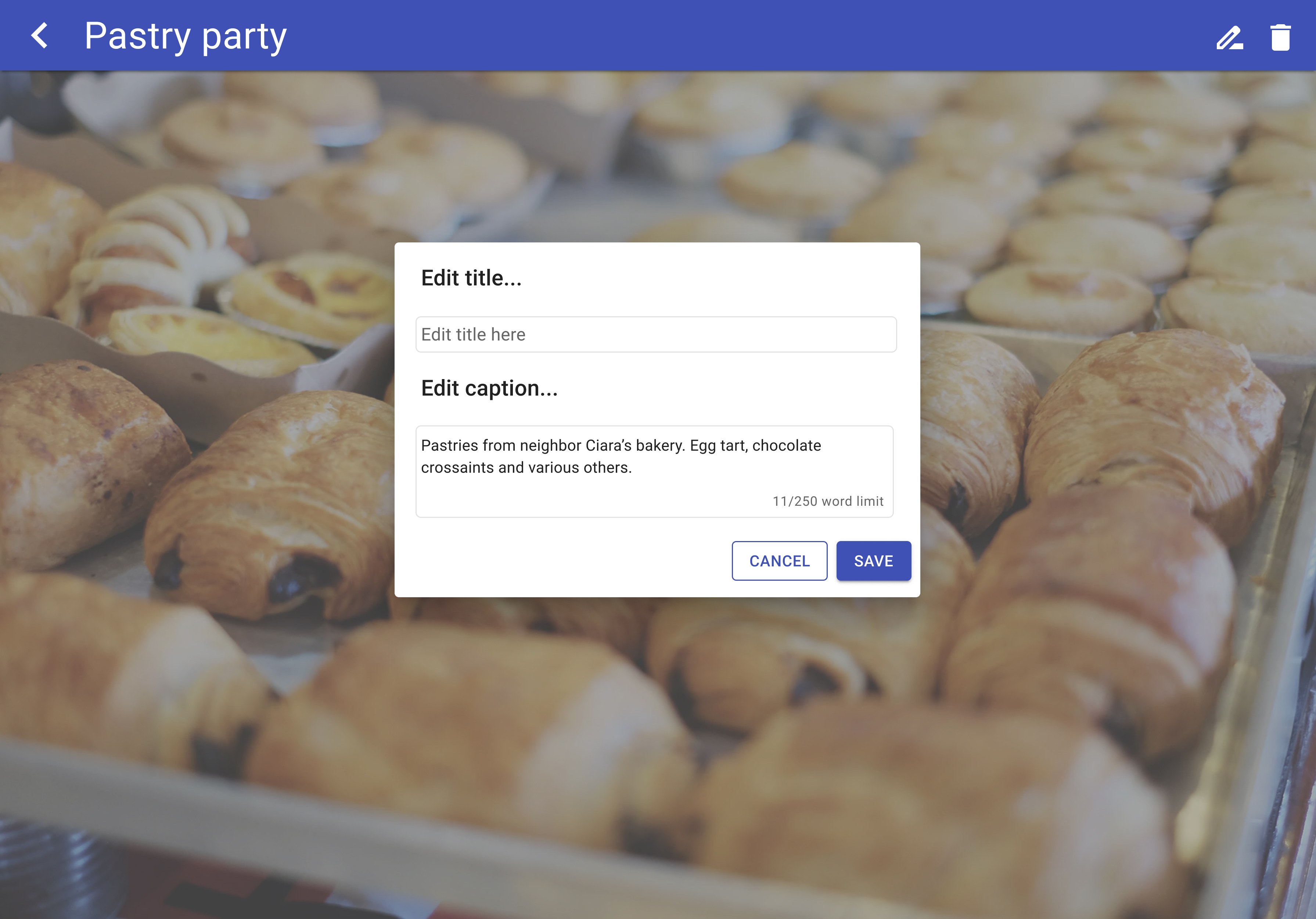
Media caption
Edit Media

User Testing Feedback

  • Accessibility and security needs to be improved
  • Add bigger/bolder fonts
  • Making the residents' profile pictures larger and square to show more of the image
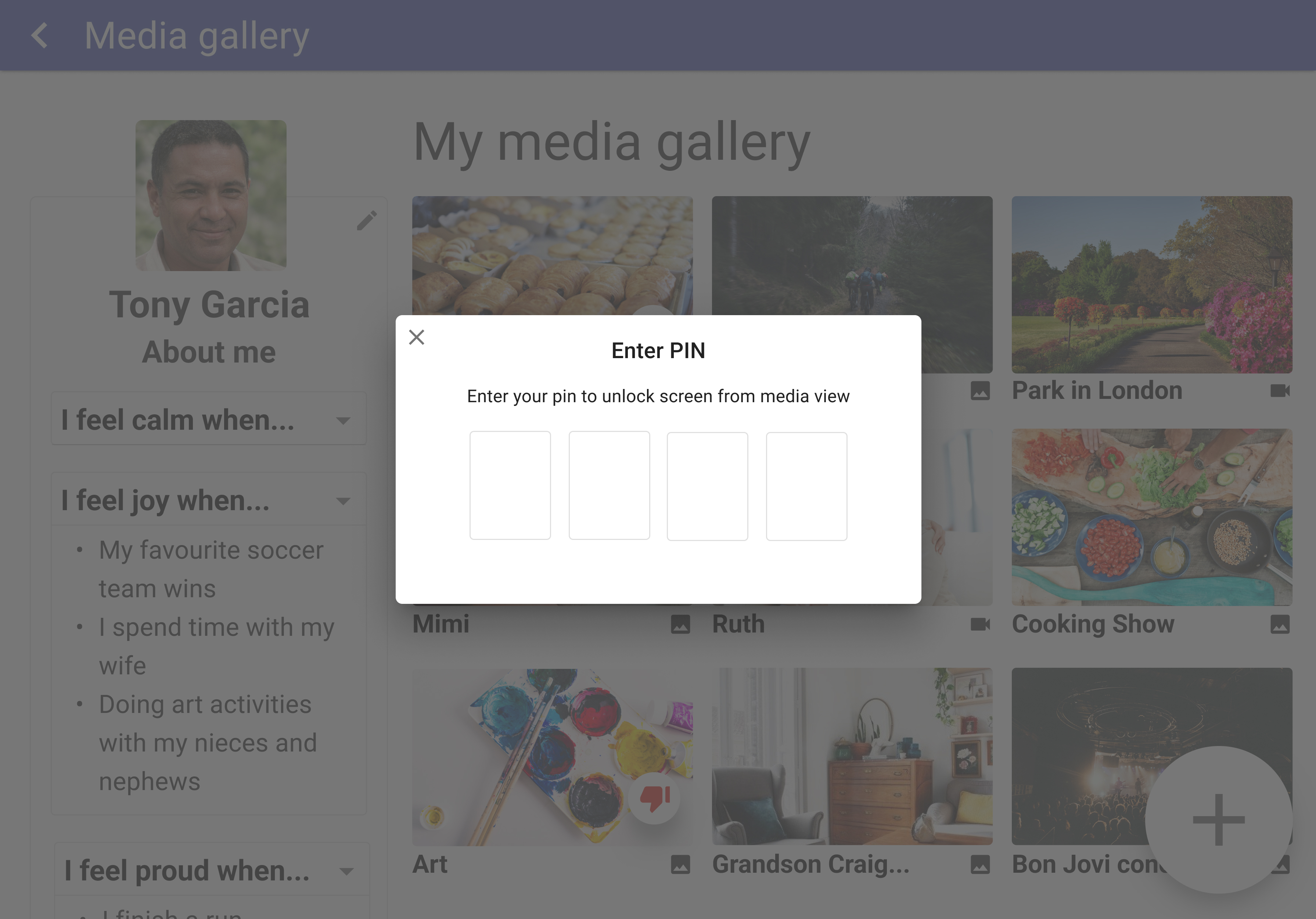
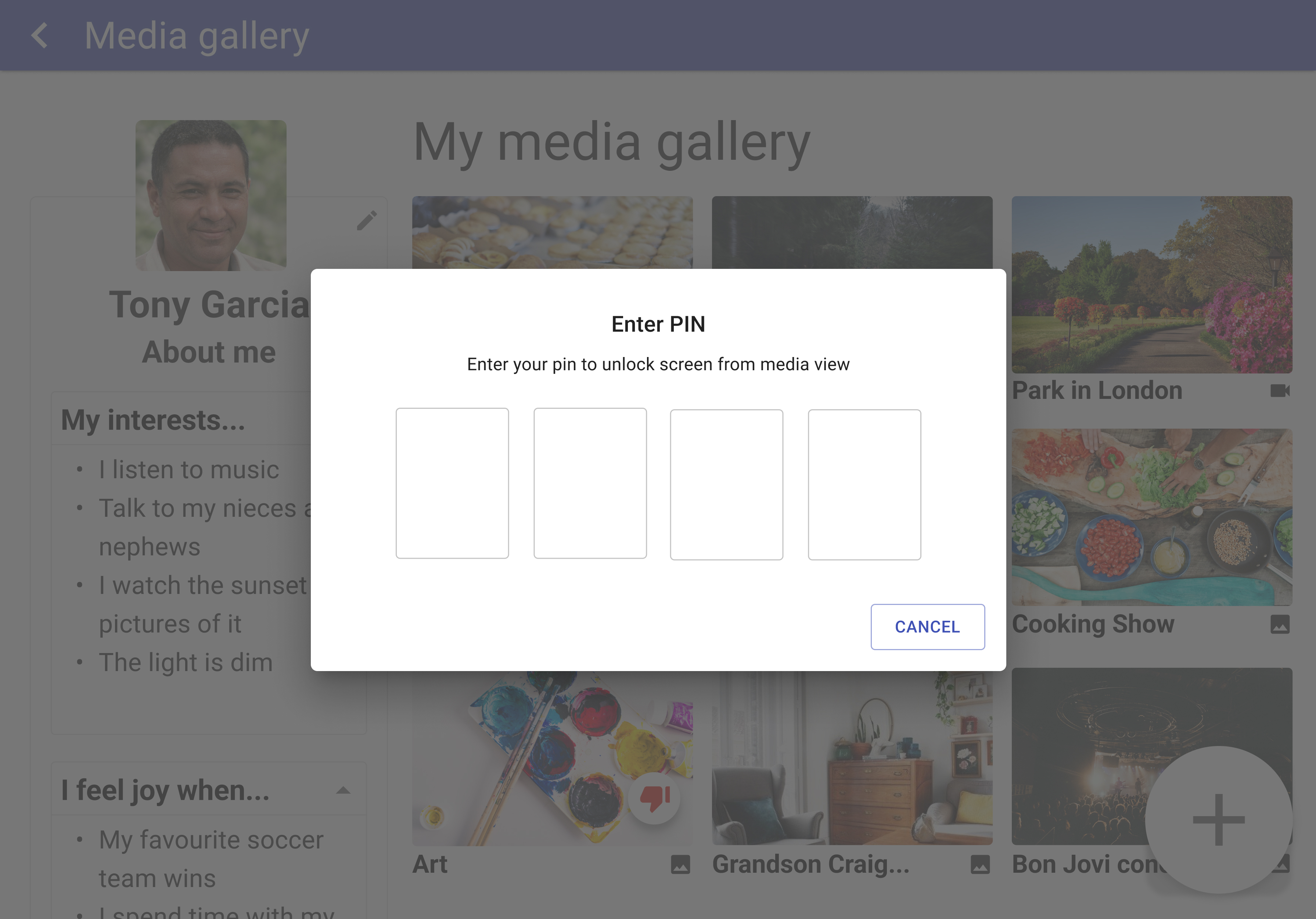
  • Add a lock screen to prevent residents from accessing other resident profiles
  • Add the option to hide categories in the about section of the dashboard
  • Loading time is too long for media
User testing with double 3 robot at Villa Cathay

Prototype 3

After completing the user tests for Prototype 2, we met with the development team and the project leader to determine which features should be added to this prototype and which ones could be mocked up later or added to future iterations of the app.
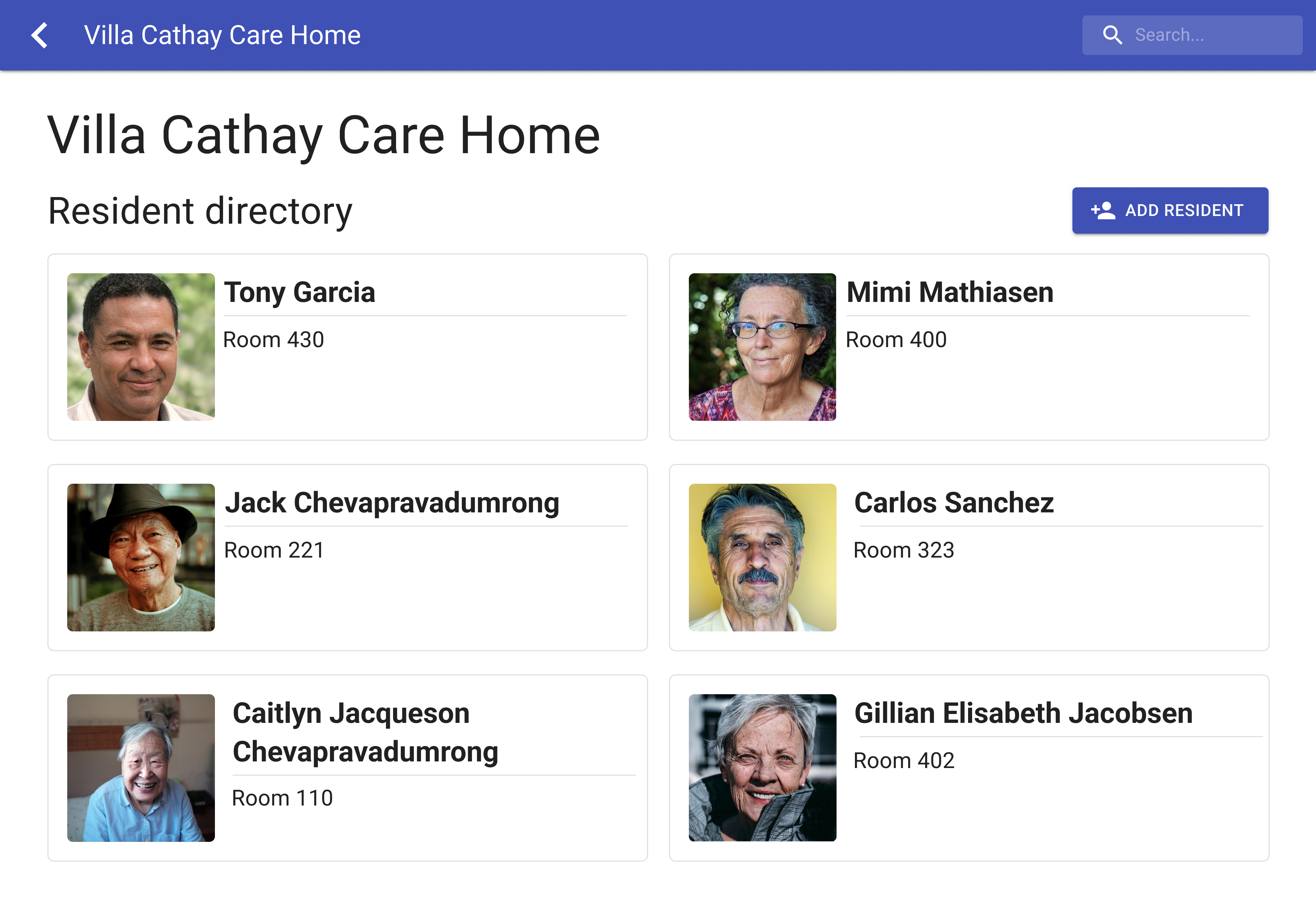
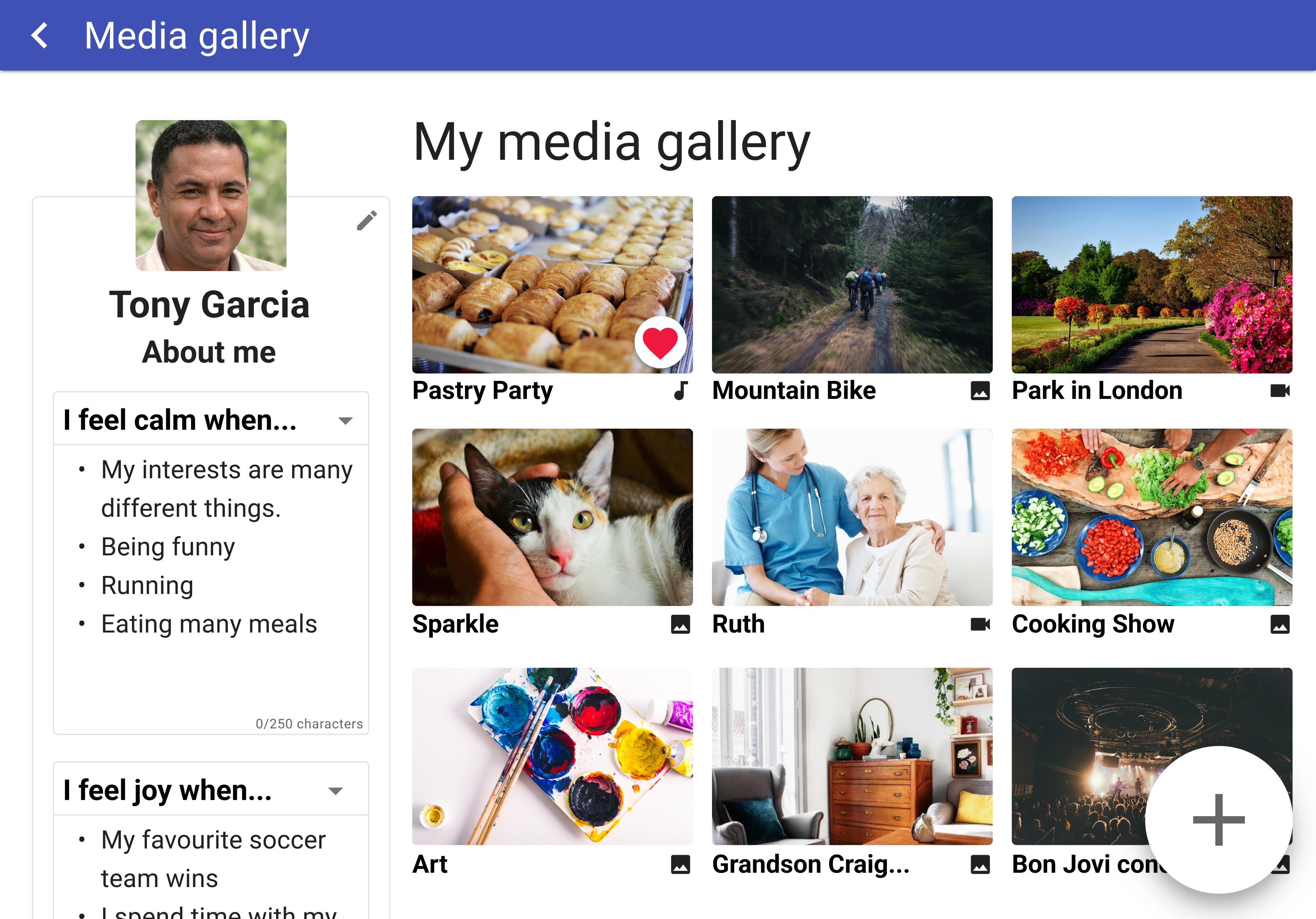
New Features

  • Increased loading speed
  • Media icons added to the gallery
  • PIN lock screen
  • Bigger and bolder fonts and larger profile picture
  • Heart replacing the thumbs up
  • Ability to hide different categories of About Me section
Resident directory
Resident Directory
Resident dashboard with info showing
Media Gallery
PIN lock
PIN Lock
Incorrect PIN
Incorrect PIN
Upload media page
Upload Media
Upload media add a title and caption
Add New Media
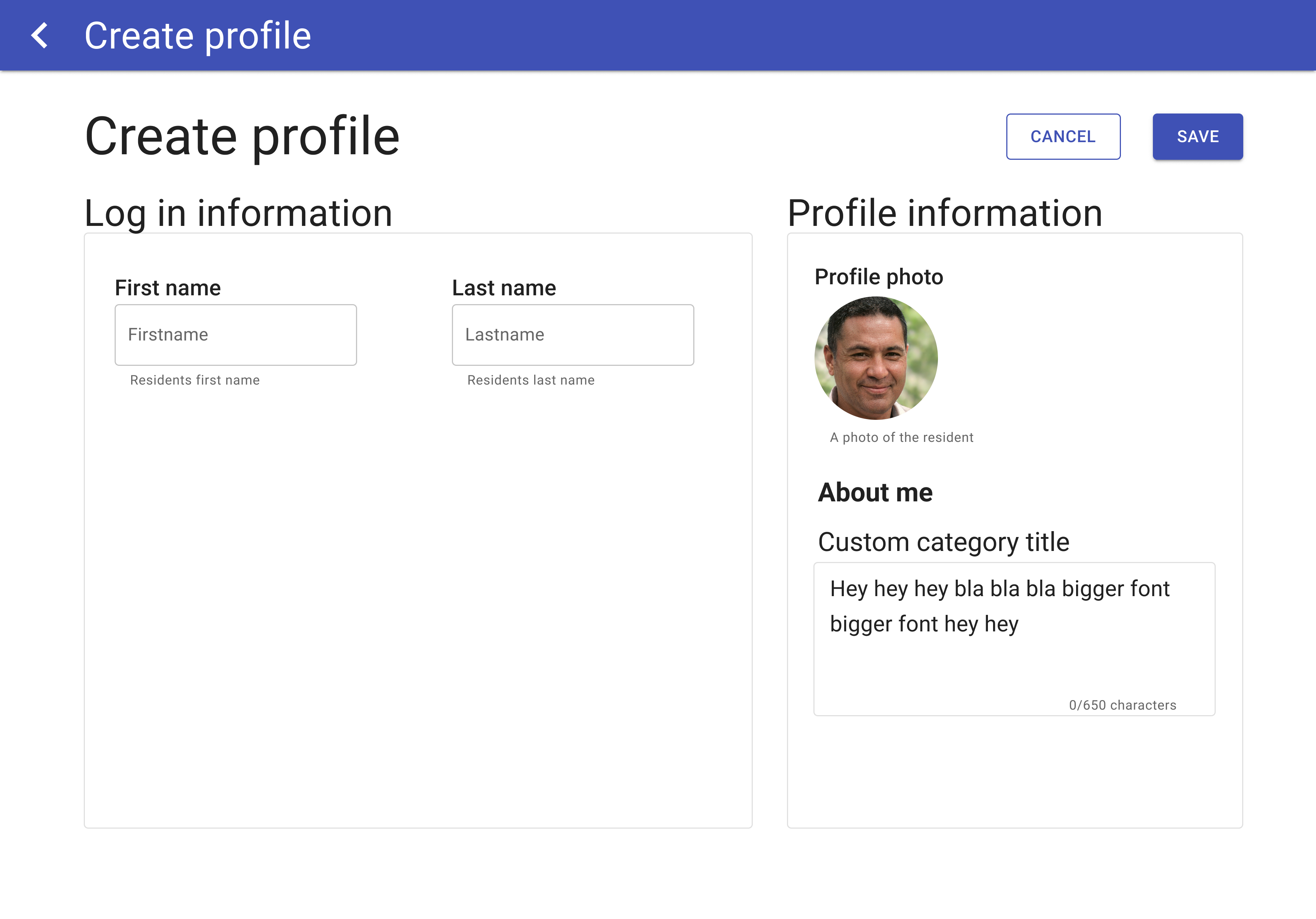
Create an account page
Create Profile
Media view prototype 2
Media View

User Testing Feedback

  • App described as a conversation starter and digital photo album
  • Limit editing ability of the About Me section (mainly for personal information), but also make the categories customizable
  • Staff wouldn’t want the ability to mass delete photos
  • Want to know what media engages the resident the most
  • Add a zoom-in function for media
User testing with double 3 robot at VGH
User testing with double 3 robot at Villa Cathay

Final Mockup

The final mockup has been designed to show what the WhatMatters app could look like in future iterations, as well as showcase future features that could be added.
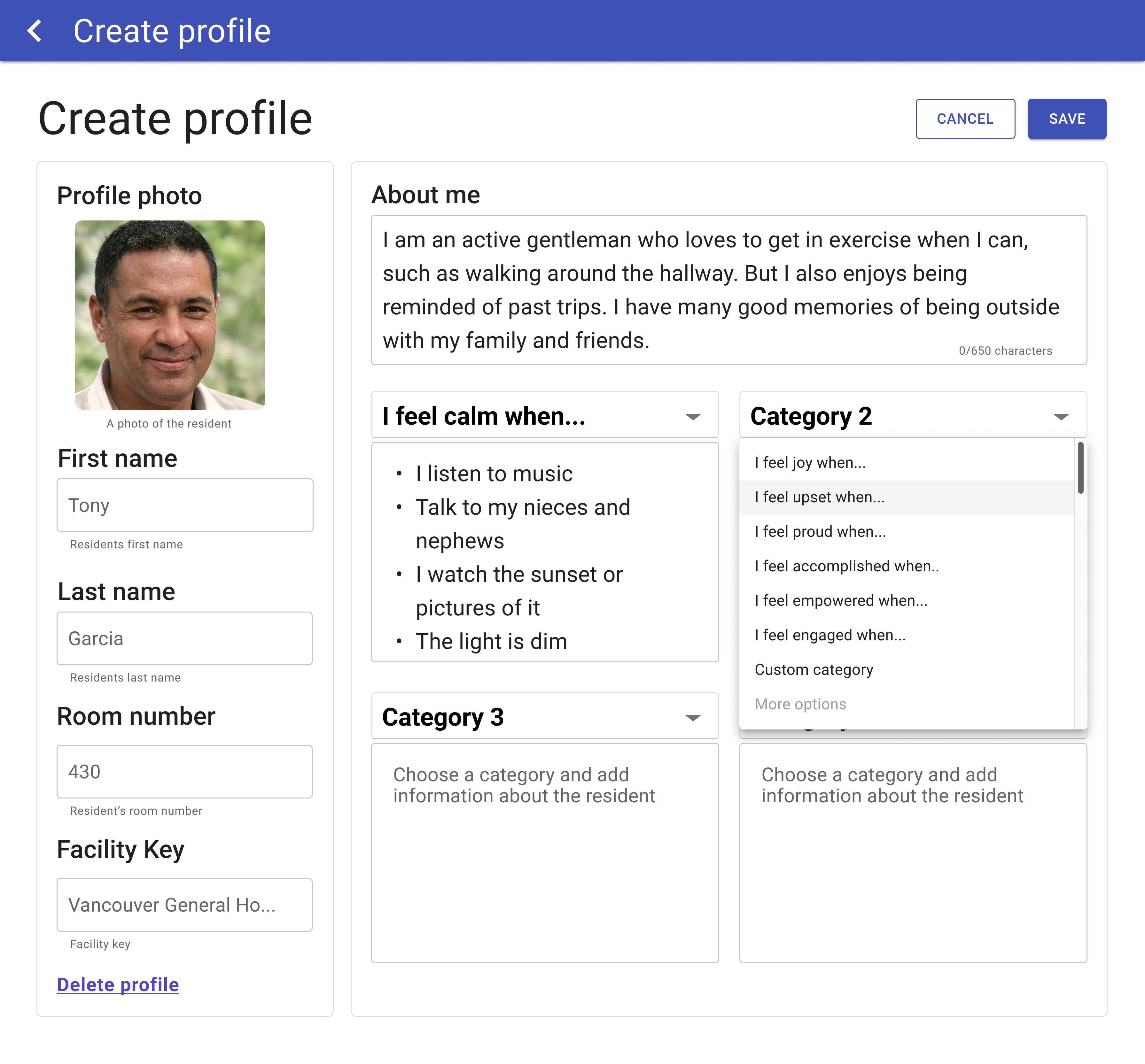
Resident Directory

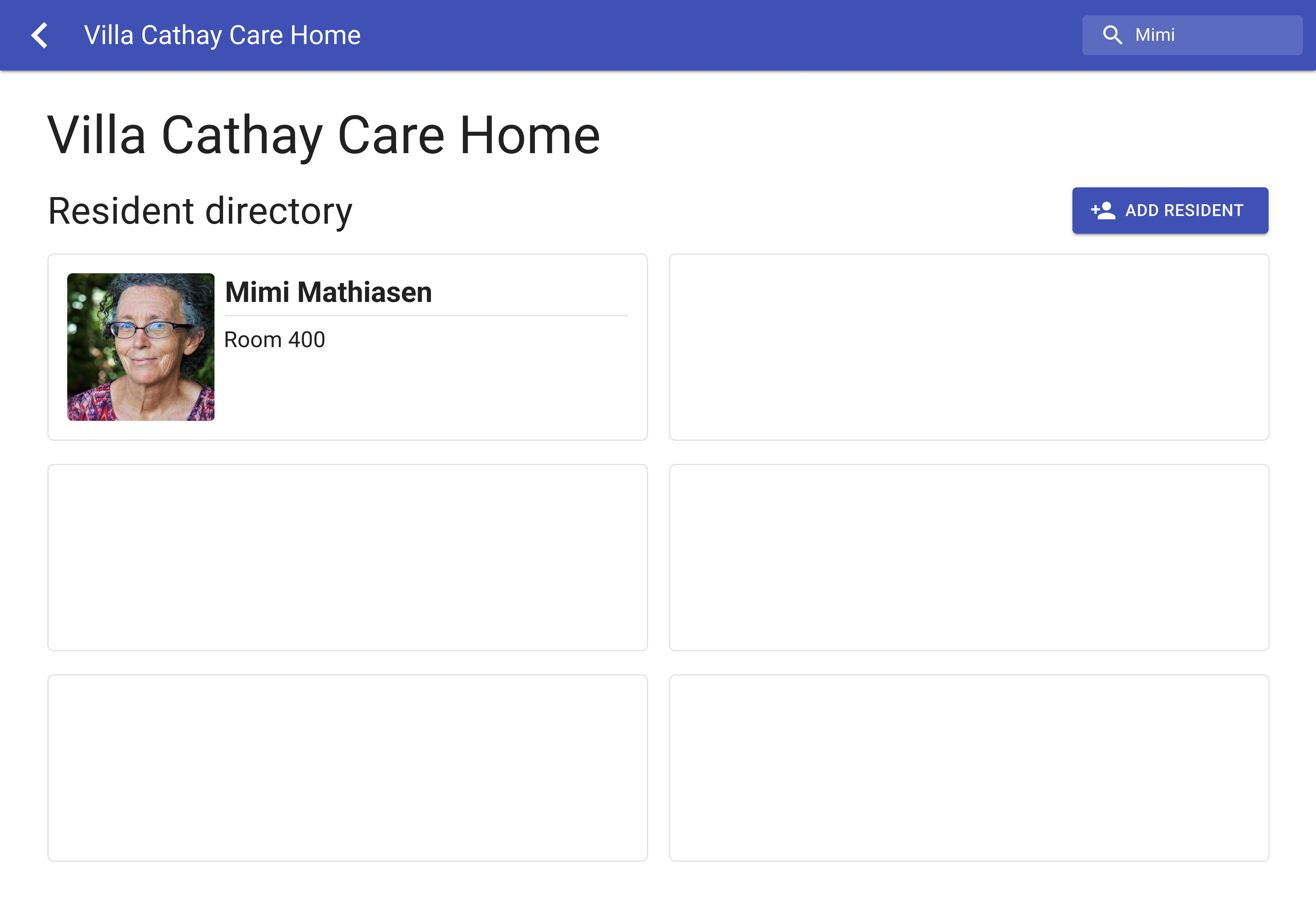
  • Staff searches for resident in directory
Resident directory
Resident Directory
Search for a resident in the directory
Searching for Resident

Resident Profile and About Me Section

  • Ability for staff to delete a resident's profile
  • Add customizable section (choose categories or type your own or make a custom option)
  • Ability to edit certain parts of About Me section quickly without being taken to main editing page
Create an account page
Create Profile
Resident dashboard with info showing
Media Gallery

Media

  • Album sorting feature
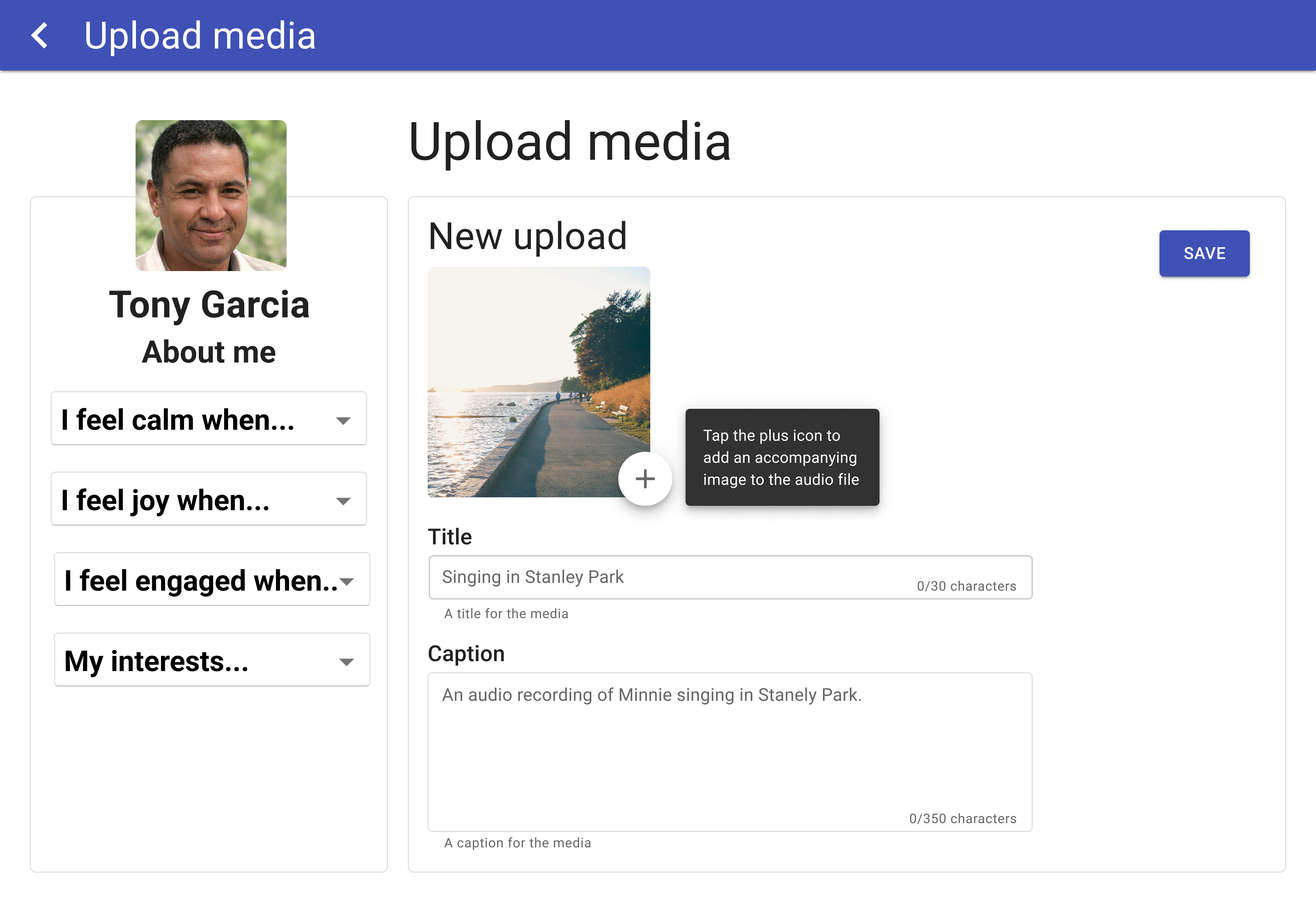
  • Family/staff add a photo to a recorded audio clip
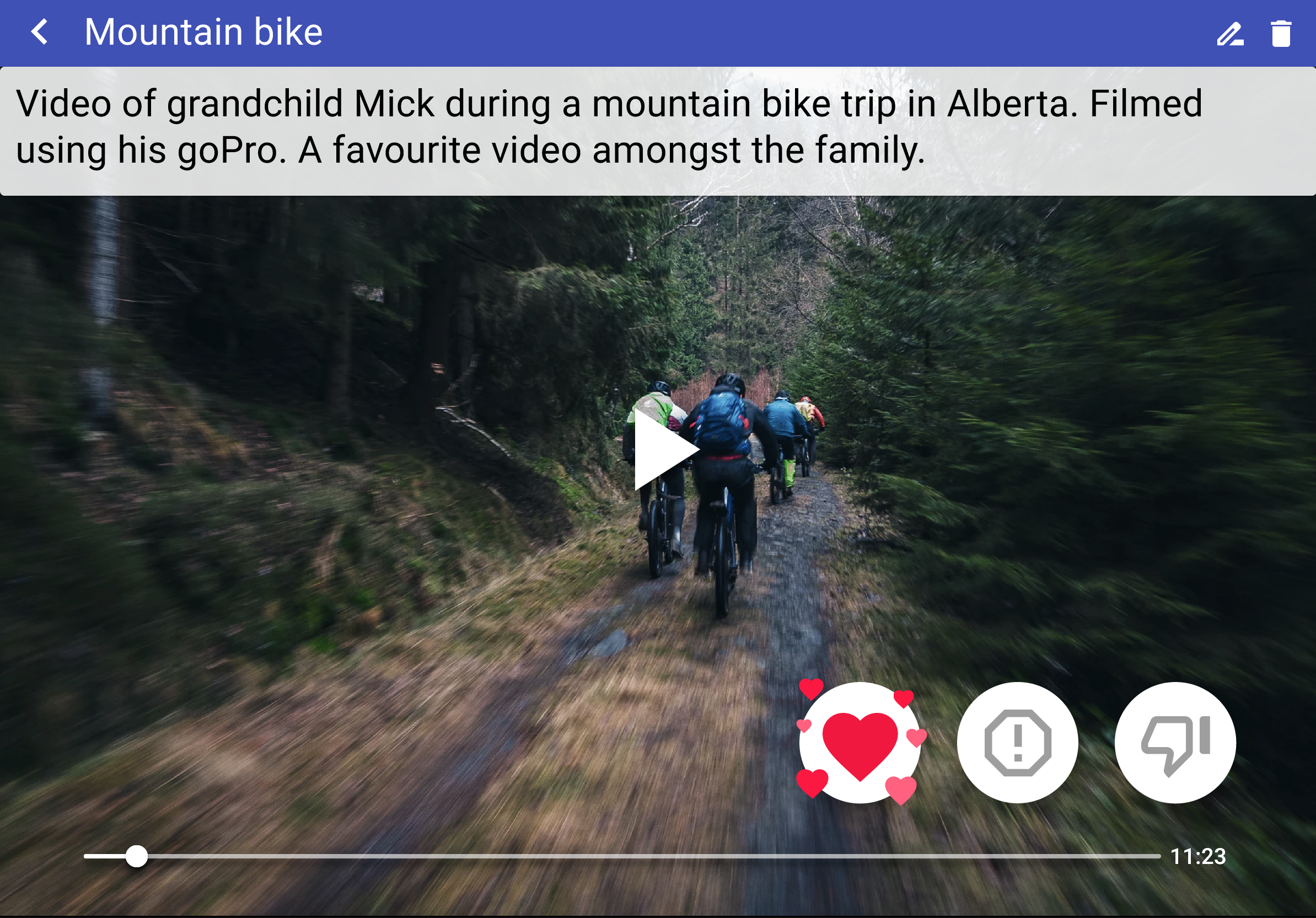
  • Pending or intermediate icon between heart and thumbs down to indicate that media should be viewed with support person
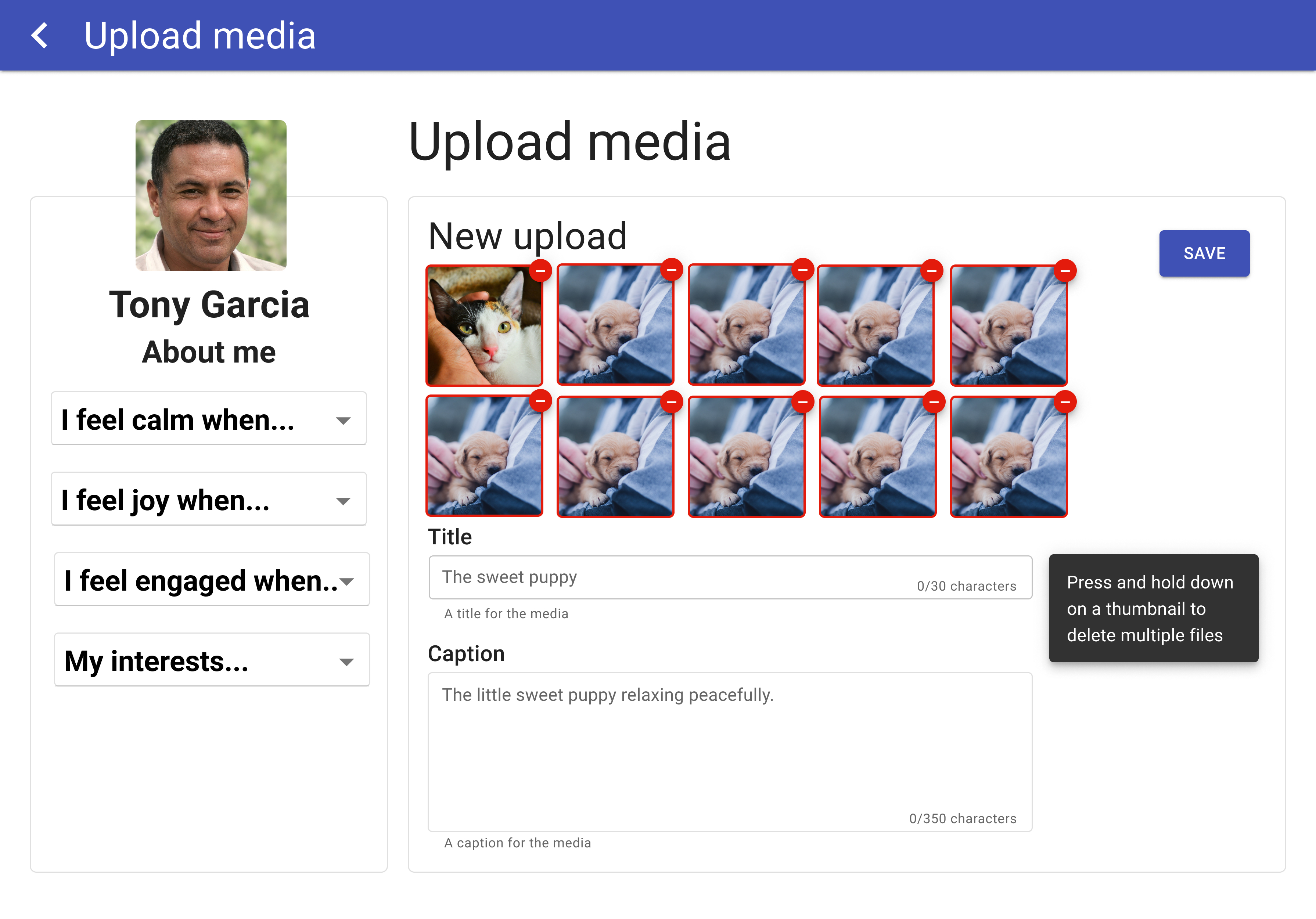
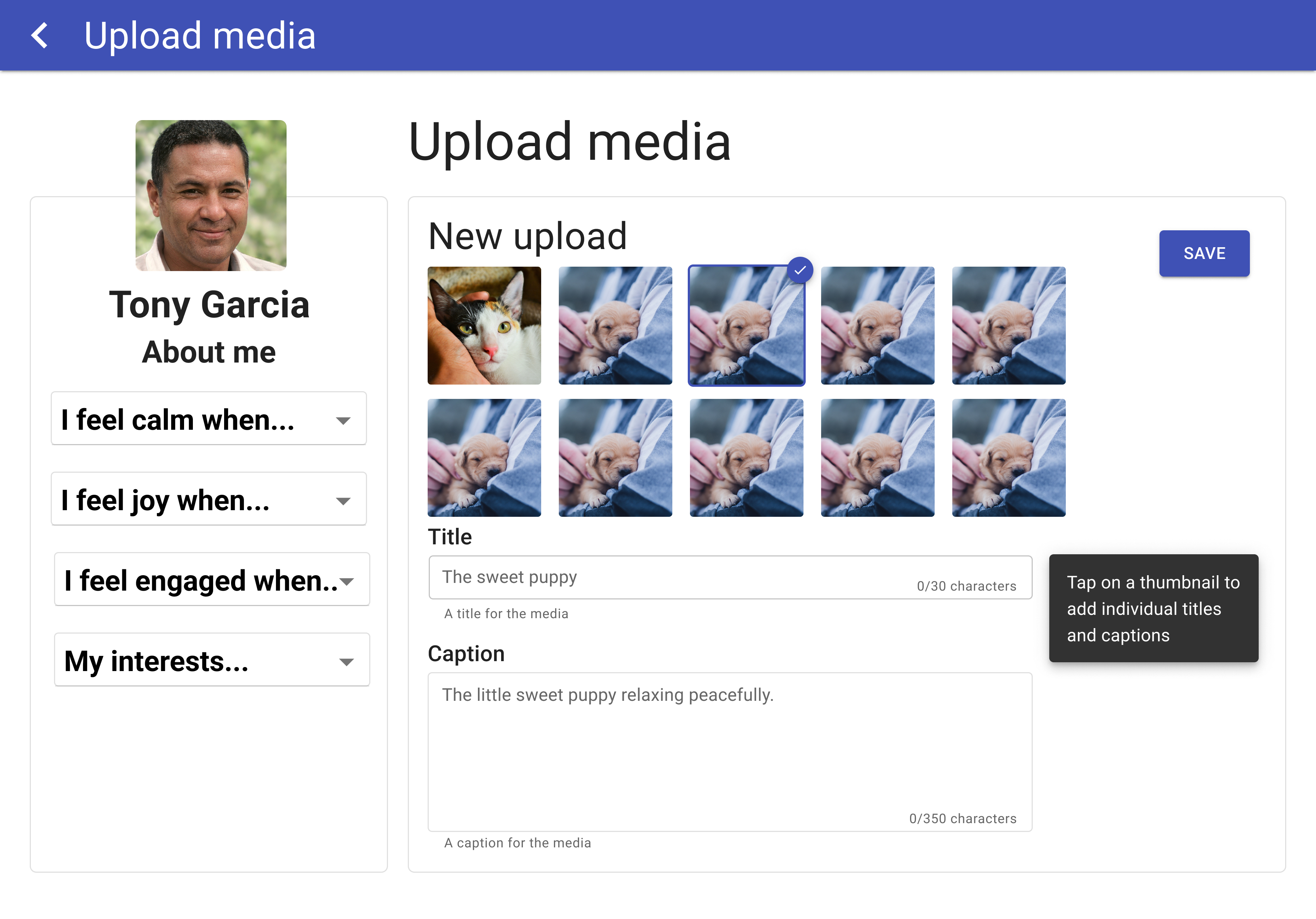
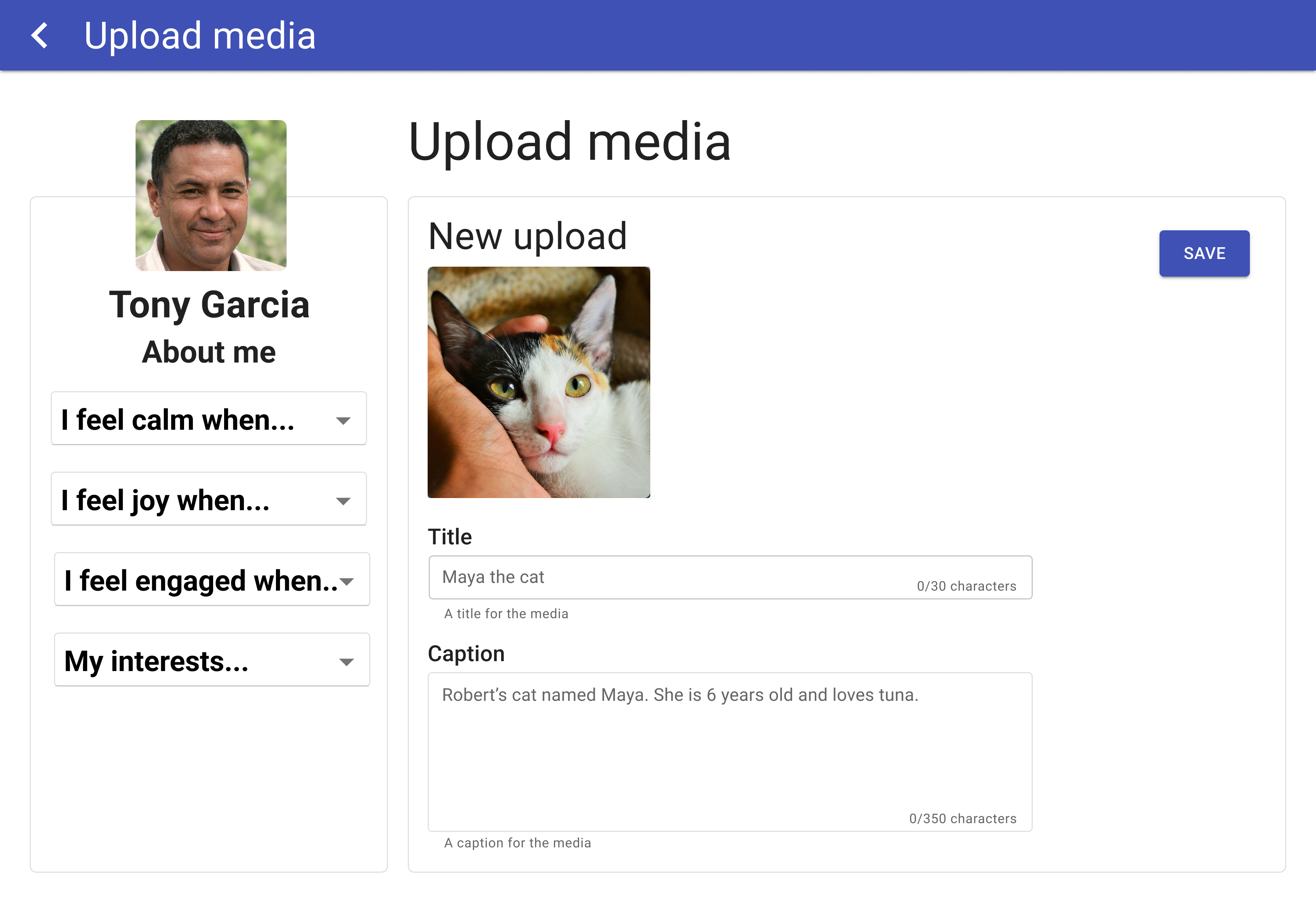
  • Ability to upload multiple media files at once and add individual captions
Album sorting feature
Album Feature
Upload audio image
Upload Audio
Upload audio with an image
Add Image for Audio Clip
Media view
Media View with Intermediate Icon
Media view with intermediate icon highlighted
Media View with Intermediate Icon
Add multiple images at once
Upload Multiple Media Files
Add title or caption to media
Add an Individual Title and Caption
Add content page
Add Caption/Title

Other Features

  • Centred PIN window and made it bigger so it is easier for residents to exit
  • Hearts animation appears when liking media
Heart animation on media screen
Heart Animation
Big PIN lock
Larger PIN Lock

Additional Features for Future Iterations

  • Zoom-in functionality for media
  • Change swipe back to tap when viewing media (more testing needed)
  • Add conversation prompts into the media captions

ADI Posters

Posters showcasing the project were created for the 35th Global Conference of Alzheimer’s Disease International. The design and layout of the poster were done by the design team, and the research team provided the written elements.
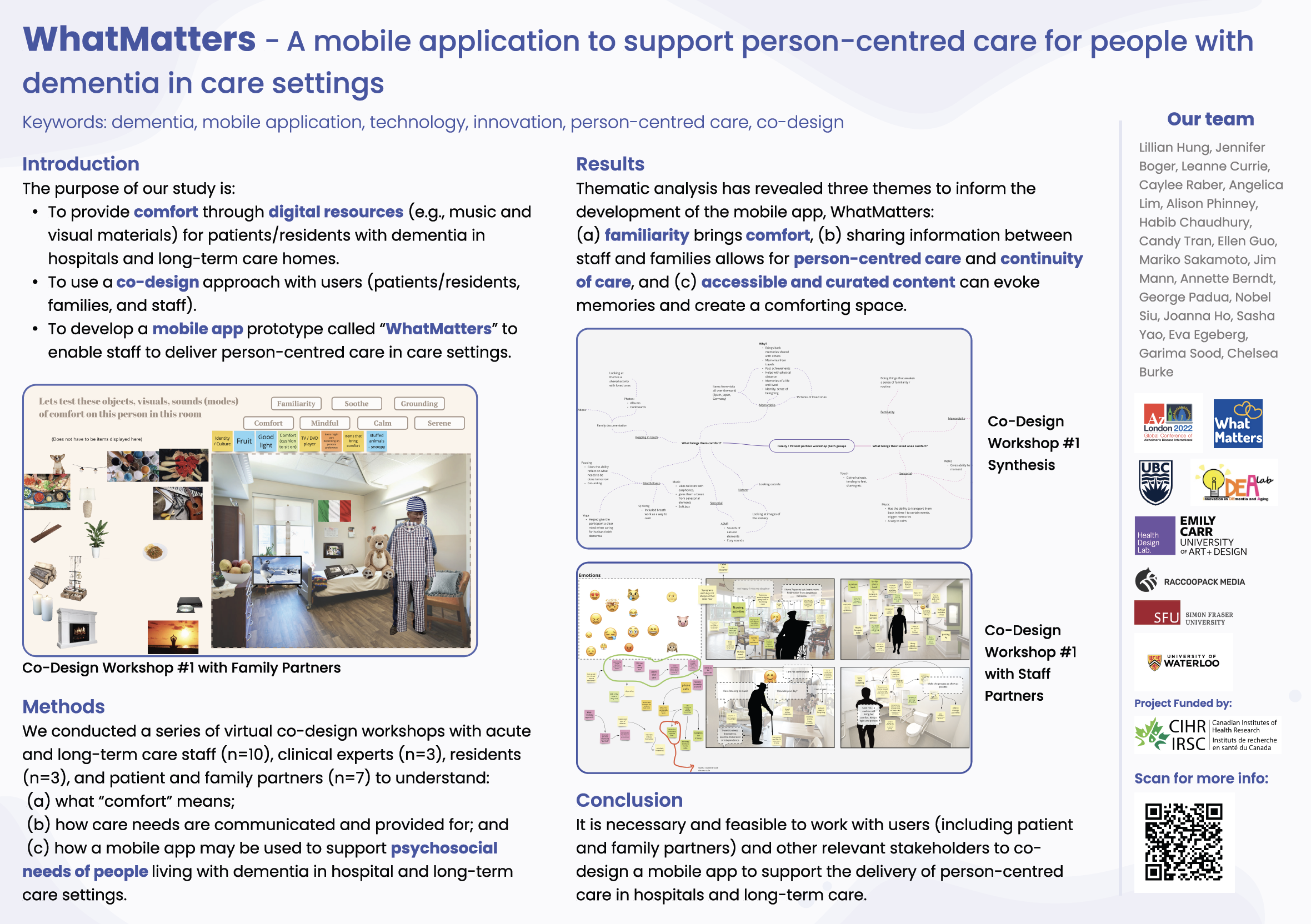
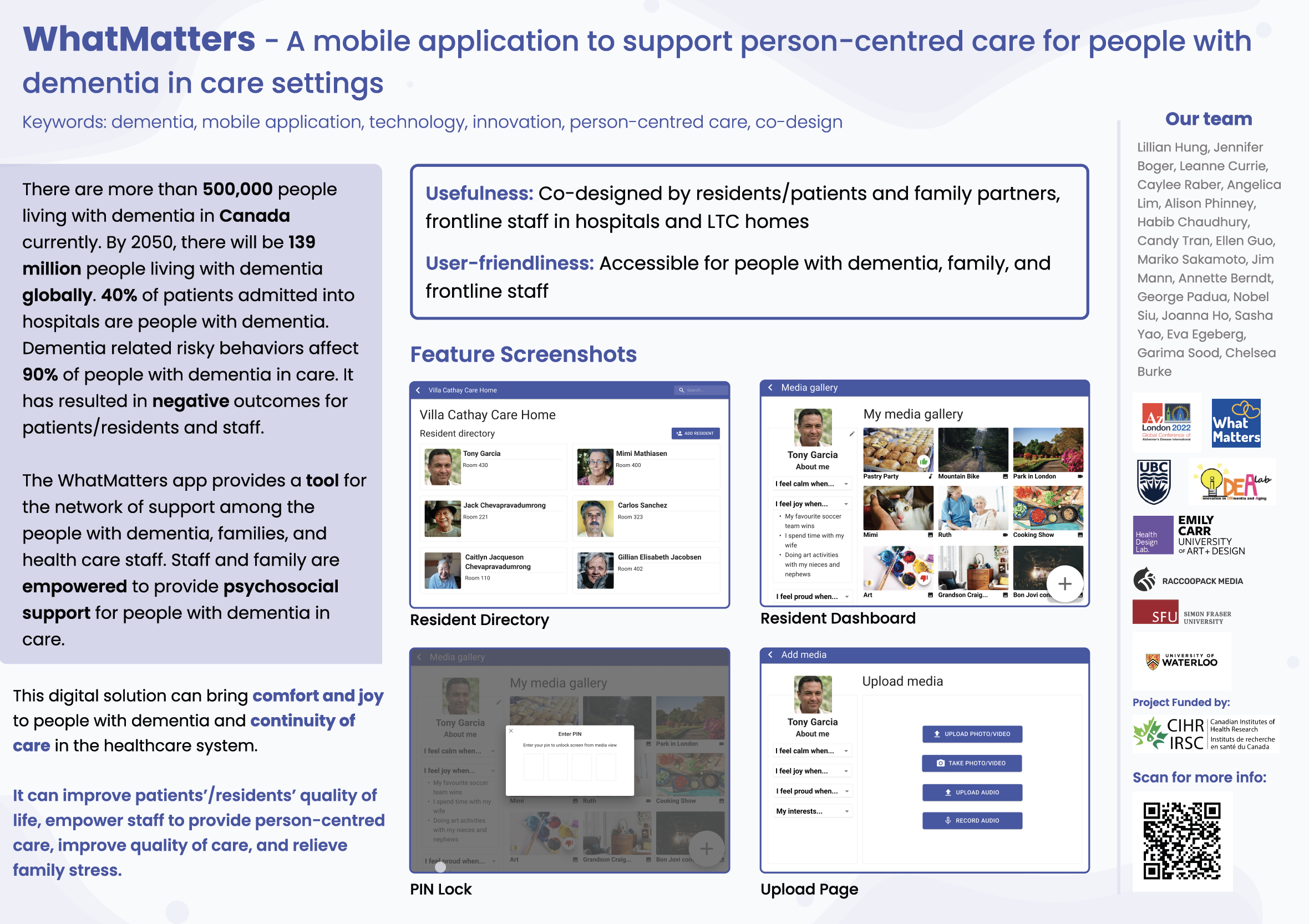
Design Considerations

  • Simple and clean layout
  • Present information in a way that is easily understood and digestible
  • Include photos to help illustrate the app and outcomes
ADI Poster side 1
ADI poster side 2

The design team was not responsible for creating the WhatMatters logo.

What I Learned

  • Conducting user tests in two different healthcare settings highlighted the differences in user needs depending on their environment and use cases.
  • Each person experiences dementia differently and has different wants and needs, which can lead to conflicting points of view
  • Remote technology and communication software, such as Zoom and the Double 3 Robot, allows for user tests and workshops to be conducted when in-person visits are not possible

Through this project I gained a better understanding of the co-design process, and working within a healthcare setting.